


 rotate(10)'/%3E%3Cpath d='M.038.113v.15l.15.088.15-.088v-.15L.188.025l-.15.088Z' stroke='%23c44900' stroke-width='.0375' transform='rotate(10)'/%3E%3C/svg%3E)
Watermark Faculty Success
Watermark Faculty Success (also referred to as FPT) is the web-based platform that allows faculty to tie their activities in teaching, scholarship/research, and service to their evaluations and career milestones. This system houses faculty data, review pathways, credentials, and accomplishments that are available for efficient reporting.
Accessing Faculty Success via Watermark
- Login with your UTRGV username and password at myUTRGV.
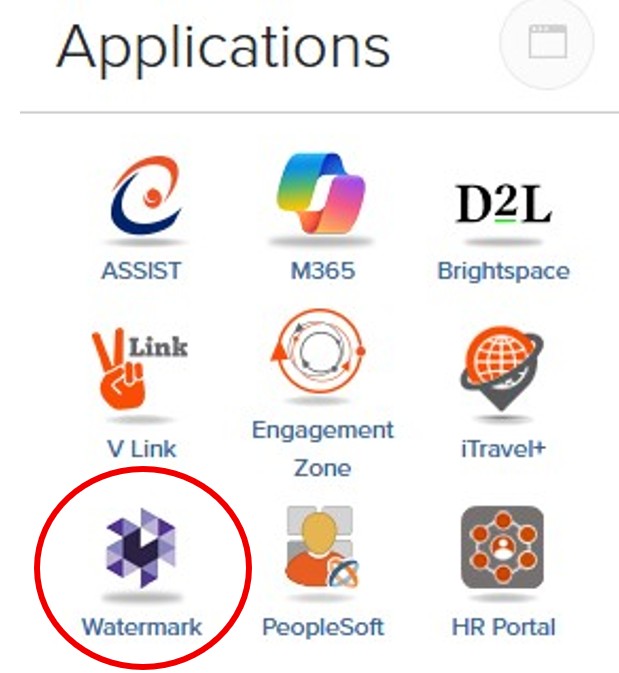
- Select the WATERMARK icon from your applications menu.
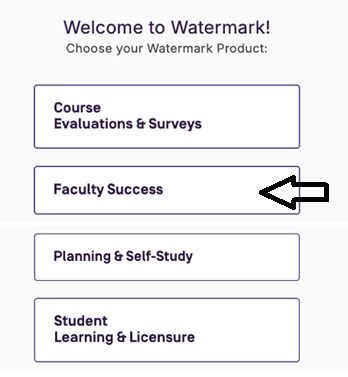
- Upon entering Watermark, you will see the dashboard below with each module you have access to. The Faculty Success module houses all faculty activity reporting. In your Activities screen you may edit entries in any section by clicking on the entries, making the changes and clicking the Save button at the top right corner. Note: You may not have all the options listed in the picture below.
| College | College Coordinators | Phone | |
|---|---|---|---|
| College of Education & P-16 Integration | Belinda Valles | 665-3401 | belinda.valles@utrgv.edu |
| College of Engineering and Computer Science | Annette Gutierrez | 665-3305 | annette.gutierrez@utrgv.edu |
| College of Fine Arts | Jessica Trevino | 665-2954 | jessica.trevino@utrgv.edu |
| College of Liberal Arts | Willson Guevara | 665-2424 | willson.guevara01@utrgv.edu |
| College of Sciences | Nora Blanco | 665-2404 | nora.blanco01@utrgv.edu |
| University College | Mauricio De Leon | 665-5205 | mauricio.deleon@utrgv.edu |
| Vackar College of Business & Entrepreneurship | Michelle Solis | 665-3267 | michelle.solis01@utrgv.edu |
| College of Health Professions | Luisa Guerra | 665-2291 | luisa.guerra01@utrgv.edu |
| School of Nursing | Claudia Dole | 665-3575 | claudia.dole@utrgv.edu |
| School of Social Work | Neissy Rosas | 665-5930 | neissy.rosas01@utrgv.edu |
| College | Associate Deans | Phone | |
|---|---|---|---|
| College of Education & P-16 Integration | Javier Cavazos | 882-5709 | javier.cavazos@utrgv.edu |
| College of Engineering and Computer Science | Thuy Vu | 665-7078 | thuy.vu@utrgv.edu |
| College of Fine Arts | Daniel Hunter-Holly | 882-7178 | daniel.hunterholly@utrgv.edu |
| College of Liberal Arts | Dawid Wladyka | 882-7384 | dawid.wladyka@utrgv.edu |
| College of Sciences | Christopher Gabler | 882-5040 | christopher.gabler@utrgv.edu |
| University College | Sandra Morrow | 665-7919 | sandra.morrow@utrgv.edu |
| Vackar College of Business & Entrepreneurship | Andre Mollick | 665-7136 | andre.mollick@utrgv.edu |
| College of Health Professions | Christopher Ledingham | 882-5756 | christopher.ledingham@utrgv.edu |
| School of Nursing | Carolina Huerta | 665-3496 | carolina.huerta@utrgv.edu |
| School of Social Work | Leticia Villarreal Sosa | 665-3575 | leticia.villarrealsosa@utrgv.edu |
Who will have access to the information in my Faculty Success record?
Faculty members have full access to their own accounts. Department Chairs/School Directors, Deans, Faculty Affairs, and the Office of the Provost also have access on a limited basis. Some college staff may be given access to run reports.
Per Texas Education Code § 51.974, faculty CV information must be made publicly available on the institution's website. This CV must include postsecondary education, teaching experience, and professional publications, which will be pulled from your Faculty Success record.
Who will enter my information?
Some data is imported from Banner, PeopleSoft, or credentialing administrators. Faculty are responsible for keeping their record and activities up to date.
How do I enter or update my information?
- Navigate to my.utrgv.edu.
- Log in with your UTRGV username and password.
- Select the Watermark Icon from your applications menu.
- Upon entering Watermark, you will select "Faculty Success" from the dashboard.
- Click on the "Activities" button in the top menu bar on the left side of the screen. You may edit entries in any section by opening a link.
- Add entries by clicking "Add New" at the top.
Can I edit a locked publication listed in my Faculty Success Activities page?
Yes, collaborators to make changes to locked publications. However, this feature does not allow collaborators to delete publications.
Whom do I contact for help?
Each college has at least one college coordinator to help answer questions and troubleshoot issues. You will find your college’s contact under “Points of Contact: College Coordinators and Associate Deans”. If you still have questions, you can also contact our team at fpt@utrgv.edu.