Follow the steps below to activate Campus Dining in the Grubhub app.

Instructions
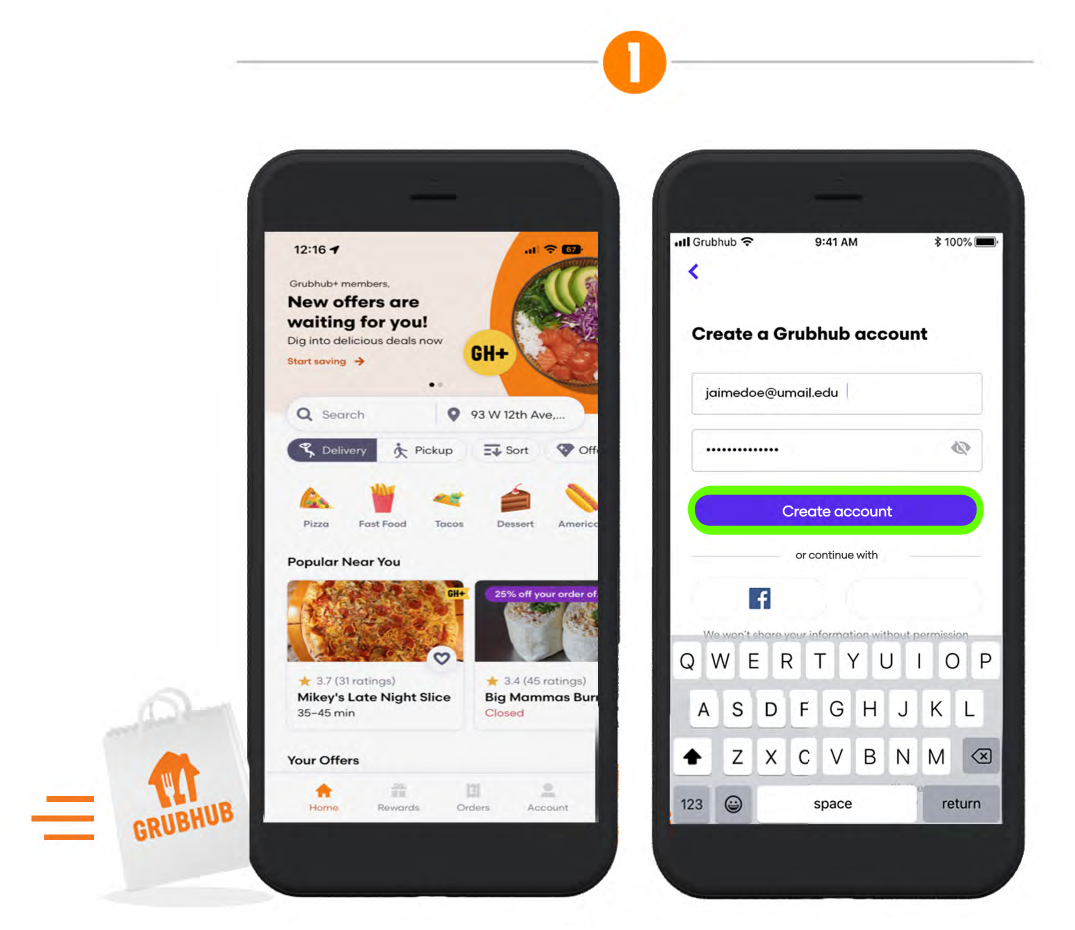
Step 1 showing phone screen-grab of Grubhub app home and a second screen displaying user Jamie Doe creating a new account.

Download the Grubhub app and create a new account. If you already have an account, sign in.
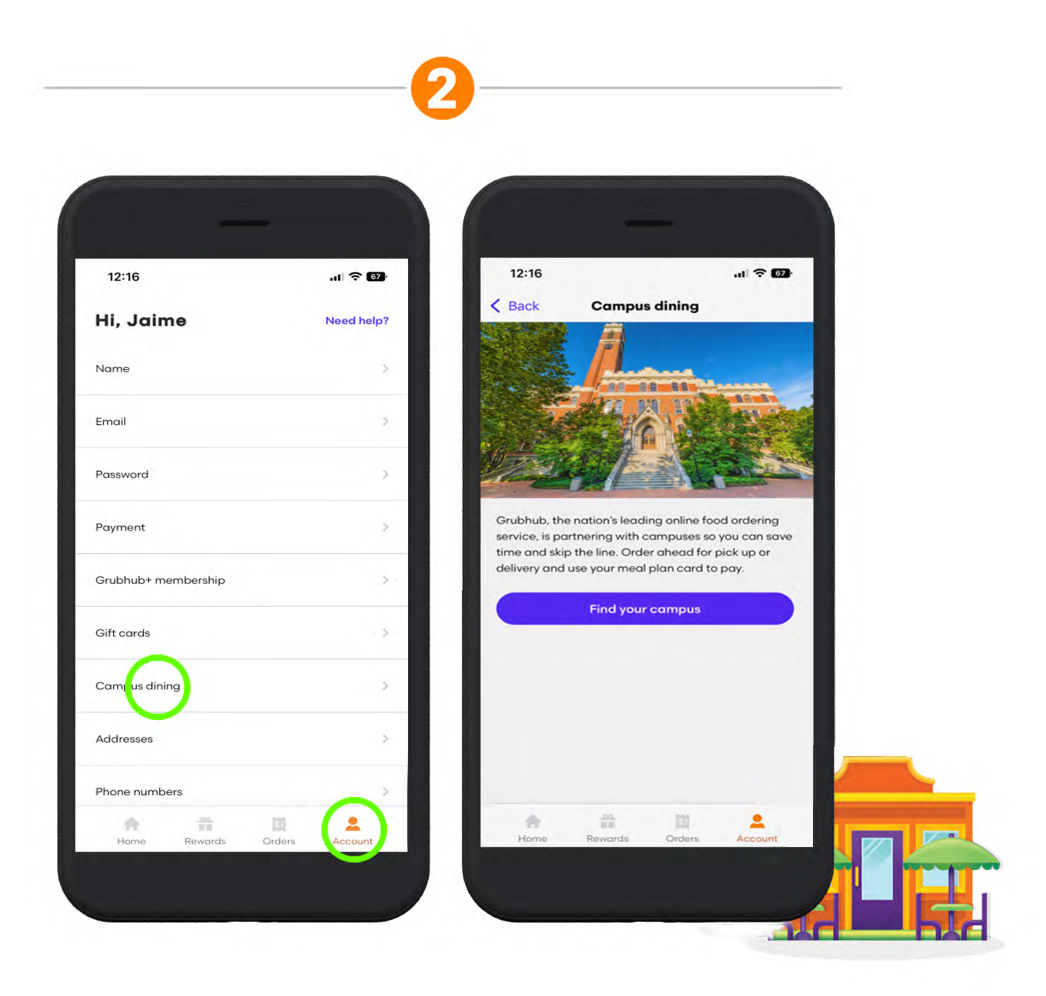
Step 2 showing phone screen-grab of Grubhub app user Jamie Doe clicking the account icon and second screen showing Campus dining.

Go to Account and click Campus Dining.
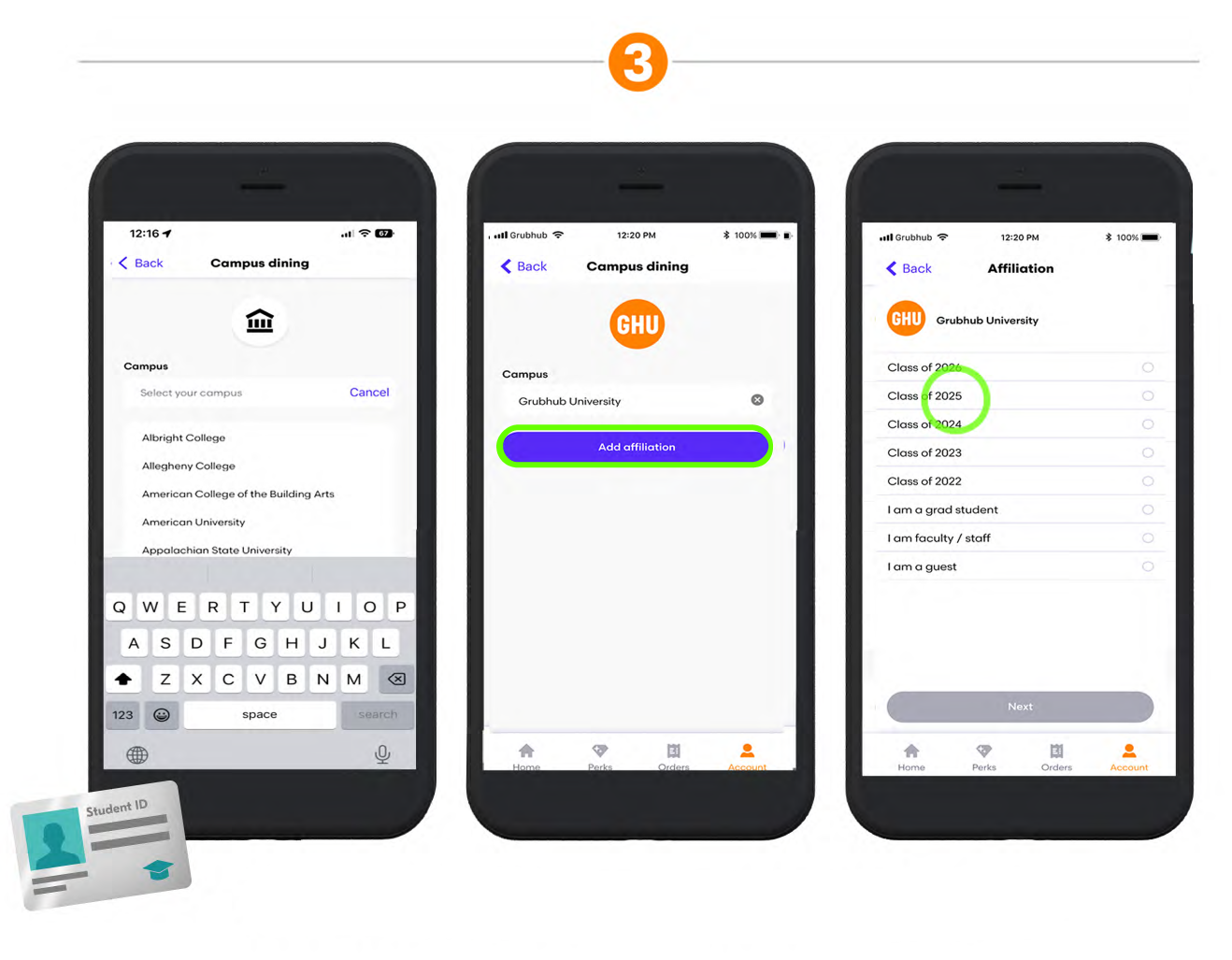
Step 3 showing phone screen-grab of Grubhub app campus search, Add Affiliation, and Class Year selection steps.

Select your campus and choose your affiliation.
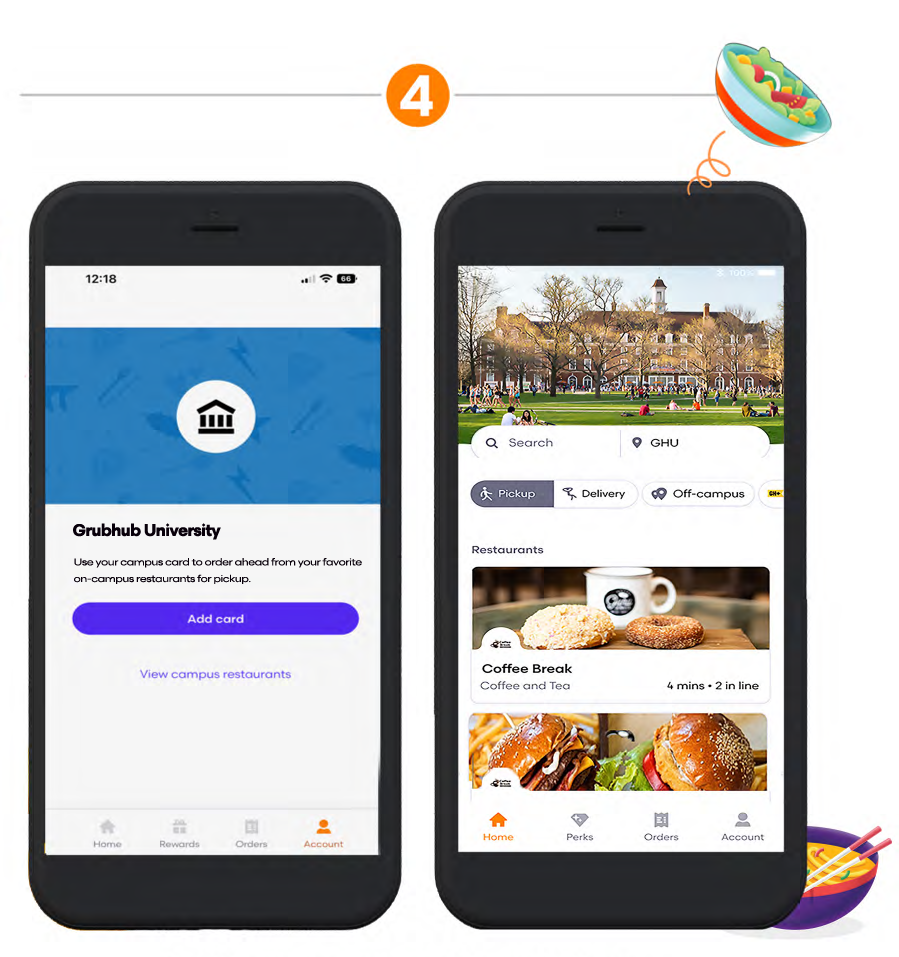
Step 4 showing phone screen-grab of Grubhub Add Card step and View campus restaurants screen.

Add campus card and then explore on-campus restaurants.